


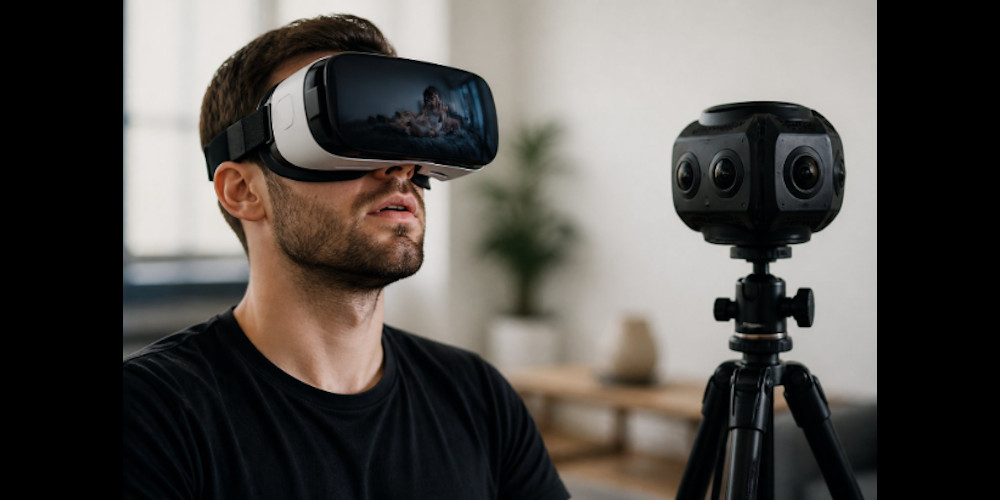
Quick answer: for pure visual realism, recorded VR porn (5K–8K, high bitrate) usually wins. For social realism and presence, live VR cams with low latency and genuine eye contact tend to feel more convincing.
- Visual realism → Recorded VR porn (5K–8K, ≥50 Mbps bitrate)
- Social/presence realism → Live VR cams (< 200 ms latency target)
- Practical baseline → Use recorded content to calibrate your hardware; use live cams when connection matters most
The answer splits clearly. Recorded VR porn wins on visual fidelity, scripted 5K–8K capture with careful post-processing. Live VR cams win on behavioral realism and social presence. What actually separates these two formats is timing, eye contact, and back-and-forth interaction, not pixel count.
⏱ 5-minute responsiveness mini-test
Join a low-latency live room and ask: “Say my name and look at the lens.” Time the reply. If response latency averages under ~200 ms, a practical guideline informed by WebRTC behavior and presence research, the session will likely feel conversational. See “Scripts for testing responsiveness in live sessions” for full steps.
Key takeaways
- Recorded VR porn delivers high visual fidelity through scripted 5K–8K capture and post-processing.
- Live VR cams deliver stronger behavioral realism, eye contact, response timing, and spatial audio create a genuine sense of being addressed directly.
- Effective testing means verifying hardware, validating bitrate and frame rate, and evaluating interactivity and response latency.
- For a practical baseline: target ≥50 Mbps bitrate for recorded content and sub-200 ms latency for live sessions, see the full tests for context.
Defining presence: what actually makes VR feel real
“Presence” is the subjective sense of actually sharing a space with someone. It isn’t produced by sharp pixels alone, it’s a bundle of signals the brain uses to decide whether a scene qualifies as social reality. Research from ACM CHI identifies consistent believable eye and face motion, response timing, and subtle body language as the core cues.
These behavioral signals routinely outweigh resolution when interpersonal connection is the goal. A lower-resolution live session can feel more convincing than a polished 8K recording, because timing and reciprocity do work that pixels simply can’t.
Two kinds of realism: passive vs. active
Passive realism is what pre-recorded VR porn delivers. Productions optimize lighting, camera angles, and post-processing to create photorealism on demand. The visual quality is genuinely impressive. The interactivity is not.
Active realism is what live VR cams offer: unscripted reactions that signal you’re being addressed right now. The brain treats a timely response as a stronger presence cue than flawless imagery.
Low latency and mic clarity matter most when social connection is the priority. If raw image fidelity is the goal, bitrate and codec choice take over, typically H.265/HEVC or AV1 for efficient 5K–8K playback.
Side-by-side: VR Porn vs VR Cams, realism factors
| Attribute | Recorded VR porn | Live VR cams |
| Visual fidelity | High, controlled sets, color grading, 5K–8K capture (see ) | Variable, depends on performer setup and platform encoding |
| Behavioral realism | Low, scripted, no genuine responsiveness | High, live eye contact, unrehearsed replies, real timing |
| Replayability | High, consistent, repeatable on demand | Low, one-off; the value is in spontaneity |
| Typical bandwidth requirement | High, roughly 40–80 Mbps for 5K/60 fps H.265/HEVC; higher for 8K (varies by platform and player) | Medium, stable uplink and low jitter matter more than raw downlink; most platforms use |
| Latency sensitivity | Low, playback is pre-rendered | High, round-trip latency directly affects how present the session feels |
| Best for | Visual quality benchmarking, calibration, repeat viewing | Social presence, spontaneous interaction, interpersonal connection |
Visual fidelity, where recorded VR porn wins
Controlled sets, high-bitrate capture, and careful post-processing give pre-recorded scenes a clear edge in raw image quality. Proper color grading and chroma sampling, at minimum 4: 2: 0, suppress the compression artifacts that quietly degrade poorly encoded files.
A well-produced 5K–8K scene at a stable 60 fps delivers convincing depth and surface detail. Visual polish only carries you so far, though. Once behavioral cues become the weak link, you hit a presence ceiling pretty quickly.
Behavioral realism, where VR cams win
Live sessions offer something pre-recorded content simply can’t match: genuine eye contact, unrehearsed replies, and response timing that tracks your inputs in real time.
Viewers looking to compare dedicated VR-first platforms and discover performers often start with curated directories of live VR cams before choosing a room or private session.
Those reciprocal signals make a viewer feel acknowledged in a way no script replicates. Research on social presence confirms the brain picks up on that absence even when viewers can’t explain why the scene feels off.
Predictability, replay, and cost per experience
Recorded content is consistent and repeatable, useful for calibrating your visual tolerance or revisiting a specific production. Typical per-scene costs as of April 2, 2026 run roughly $3–$20 depending on resolution and studio; check current pricing on your platform before committing.
Live sessions are one-offs. That’s the point. Per-minute rates vary widely, so verify before you start.
A step-by-step testing system (minimum spend required)
The sequence is straightforward: verify hardware, validate bitrate and frame rate, then test interactivity. Skip any stage and you’ll get a false read on how convincing the experience actually feels.
Step 1, Quick hardware check (3 minutes)
- Confirm your headset resolution and playback profile are set to the highest supported mode.
- Install all firmware and software updates, then check device comfort and interpupillary distance (IPD).
- Eye relief and IPD adjustment are the most commonly skipped steps, both hurt perceived realism faster than pixel count ever will.
Step 2, Bandwidth and bitrate for 5K–8K recorded VR
Sustained bitrate targets vary by resolution and codec. These are indicative ranges, always verify your platform’s limits and your device’s decode ceiling:
- 5K/60 fps, H.265/HEVC: roughly 40–80 Mbps
- 8K/60 fps, H.265/HEVC or AV1: roughly 60–120 Mbps
Play a short 180° or 360° demo at the highest available bitrate. Watch for stutter, dropped frames, and compression artifacts. Stability matters more than peak throughput, a steady mid-resolution stream will feel more realistic than a high-resolution file that keeps dropping frames.
Step 3, Interactive calibration for live VR cam latency
Network prep checklist
- Prefer wired Ethernet over Wi-Fi where possible; if wireless, use Wi-Fi 6/6E on the 5 GHz band.
- Minimize competing traffic on the network during live sessions.
- Enable SQM/QoS on your router to reduce bufferbloat and jitter, and test using a reputable.
- Target round-trip latency under 200 ms. Live platforms typically use where uplink stability and jitter matter more than raw download speed.
Once your network is ready, test your microphone input and measure round-trip latency: prompt the performer with a timestamped phrase, time the response, subtract known network delays, and repeat once for consistency. Around 200 ms feels conversational. Above 300–400 ms, timing reads as noticeably off and the session loses its live quality.
Scripts for Testing Responsiveness in Live Sessions
Before using any of the prompts below, ask politely, respect performer constraints, and follow each platform’s rules. Not all performers can fulfill technical requests.
Use specific prompts within the first minute that require observable responses. These cut through any ambiguity about whether a performer is genuinely present.
- “Can you move a little closer to the lens so I can check the depth?”, tests spatial movement and lens awareness.
- “Say my name and then look directly at the lens so I can check eye contact.”, tests vocal acknowledgment and eye-line accuracy.
- “If you wave your hand slowly, I’ll follow with my headset, ready?”, tests timing and mirroring.
A performer who handles these cleanly shows genuine attentional engagement. Prompt with a timestamped phrase, time the response, subtract network delay, and average two results. Under roughly 200 ms feels conversational, a practical threshold informed by. Above 300–400 ms, the exchange noticeably degrades.
What we tested with
- Meta Quest 2 and Quest 3 (standalone and PC-linked modes)
- Valve Index via SteamVR on a mid-range gaming PC
- Skybox VR and DEO VR as primary playback players
- Representative live platforms tested across varied network conditions (anonymized for performer privacy)
- Bufferbloat and latency measured using browser-based diagnostic tools
Testing Spatial Audio in Recorded Scenes
Find a scene with obvious off-camera sounds, a door closing or a footstep. Rotate your head slowly and check whether those sounds shift position as you move.
If the footsteps stay fixed while you turn, there’s no real spatialization. Spatial audio, standardized through formats like and MPEG-H, is one of the most consistently overlooked elements in visually focused productions. Most viewers don’t notice it’s missing until they hear it done right.
Beginner vs. Advanced Pathways
Beginner (First One or Two Sessions)
Start with a high-bitrate 5K or 8K download, or a quality 180° demo. This keeps motion sickness risk low and lets you build depth perception before adding any interactive variables. A pre-recorded scene also helps you figure out whether your headset is the limiting factor.
Recorded content is the lower-cost entry point. Most platforms offer short-term purchases or demo downloads before nudging you toward a subscription. Per-scene prices (as of April 2, 2026) typically run $3–$20 depending on resolution and studio, confirm current pricing on your platform before committing.
Advanced (Repeat Viewers and Content Creators)
Wire your connection wherever possible and confirm sub-200 ms round-trip latency before adding any interactive peripherals. When audio and visual sync is solid, peripherals genuinely add something. When sync is off, every gap gets more noticeable.
Common Mistakes and How to Fix Them
The most common setup error is treating resolution as the main quality signal. Bitrate, chroma subsampling, and frame stability matter more in practice. A lower-resolution file played correctly will usually beat a high-resolution file played poorly.
- Mistake: equating resolution with realism. Fix: evaluate bitrate, chroma subsampling, and frame stability instead. For 5K–8K 180° content, a sustained 40–100 Mbps (H.265/HEVC or depending on your device) is a more reliable quality signal than the headline “K” number.
- Mistake: running high-resolution files on an underpowered headset. Fix: verify codec and resolution support before purchasing. Check your headset’s developer docs (Meta Quest, Pico) and use a dedicated player like or DEO for high-bitrate playback, built-in players often cap decode performance.
- Mistake: ignoring lighting and framing in live rooms. Fix: check lighting consistency and eye-line before committing to a session. Even a genuinely engaged performer can feel flat in a dim, poorly framed room.
A 48-Hour Comparison Routine
Tonight: Download a 180° demo at the highest available bitrate. Spend 15–20 minutes focusing on depth cues and spatial audio localization. Aim for stable 60 FPS; for 5K–8K footage, target 40–100 Mbps depending on codec. Stability matters more than hitting the top of that range.
Tomorrow: Join a low-latency live platform and test responsiveness during a short session. Focus on eye contact, response timing, and spontaneous reactions, not image sharpness.
Follow-up: Compare felt presence across three markers: eye-contact clarity, response latency, and spatial audio separation. Two short sessions are usually enough to form a reliable preference. Response timing drives social presence more than pixel count.
Where to Start Without Wasting Money
Skip the trial-and-error phase by finding platforms that offer pay-per-scene or short-term access before a full subscription. For recorded content, prioritize platforms that publish bitrate and codec details alongside resolution. Any platform listing only the “K” number without encoding specifics deserves skepticism.
For live sessions, look for platforms that display performer connection quality ratings or latency indicators. If your primary interest is interactive performances rather than general VR content, exploring dedicated strip cams can make it easier to find performers and rooms focused specifically on live entertainment. Those are the most practical filters for finding a room where the experience actually holds up.
What to do next
Choose pre-recorded VR scenes for the cleanest visuals. Choose live VR cam sessions when you want real interaction that responds to you in the moment.
The easiest way to find your answer: run a high-bitrate recorded session and a short live session back-to-back. Whichever holds your attention longer tells you everything.
Your 3-step action checklist:
- Run the hardware check tonight confirm IPD, firmware, and codec support. It takes a few minutes and eliminates the most common setup errors before you spend anything.
- Watch one high-bitrate 180° demo and note where your attention drifts: pixel sharpness, depth, or audio positioning. That reveals your natural sensitivity and tells you where to invest.
- Book one short live session on a platform that displays connection quality. Run the responsiveness checks from this guide. Then compare how each format actually felt, not which had the better spec sheet.
Frequently Asked Questions
What is the key difference between VR porn and VR cams?
Pre-recorded content wins on visual polish, controlled lighting, careful framing, high resolution. Live cam sessions win on felt realism, holding attention through genuine timing and response. Neither format dominates across every measure.
What is “presence” in the context of VR?
It’s the subjective feeling of actually sharing a space with someone. Behavioral cues, response timing, eye contact, body language, drive it far more reliably than pixel count. A lower-resolution live session with solid interaction timing can feel more convincing than a polished recorded scene.
Why isn’t resolution the most important factor for realism?
Resolution sharpens the image. It doesn’t make you feel like someone’s actually there. Low latency and genuine behavioral responsiveness do that. Research on social presence consistently shows response timing outweighs pixel count, see for supporting evidence.
How can I test for effective responsiveness in a live VR cam session?
Respect performer constraints and platform rules first. Then use simple, verifiable requests: ask the performer to move closer to the lens, say your name while looking directly at the camera, or wave so you can track the motion. These small interactions confirm genuine real-time engagement rather than a looped feed.
What are common mistakes to avoid when seeking realism in VR adult content?
Three keep coming up: treating resolution as a direct proxy for realism; running high-bitrate files on underpowered hardware; and overlooking lighting and framing in live cam environments. Sort out your hardware baseline first, codec support, player choice, and network stability all build on it.
How should beginners approach choosing between VR porn and VR cams?
Start with a high-bitrate recorded demo. Get your hardware decoding correctly, acclimate to the headset, then book a short live session and run the responsiveness checks in this guide. Whichever format feels closer to real is the one worth spending on.