

What Actually Surprised Us Testing VR OpSec
Some things worked exactly as expected. Others didn’t.
- Pitch shifting alone did almost nothing to change speaker re-identification scores in test sessions. Rhythm changes mattered far more, and were also far harder to maintain under pressure.
- Stylized avatar rigs genuinely reduced measurable pose-stream uniqueness in side-by-side tests. It wasn’t dramatic, but it was consistent. Most creators skip this because they want a photorealistic look. That’s a tradeoff worth knowing about.
- The dedicated broadcast machine turned out to be less about performance and more about discipline. Having a physical boundary between your personal device and your streaming setup stops a surprising number of accidental cross-contamination mistakes, not because of any technical feature but because the separation is visible.
- Session timing was the easiest signal to accidentally leak. Even with everything else locked down, consistent 45-minute blocks starting around the same time each evening are enough to build a pattern. Randomizing start times felt minor. It wasn’t.
- One creator spent her first two weeks convinced the persona sheet was unnecessary because she felt she was “acting anyway.” By week three she’d spotted three personal tics on playback that she genuinely hadn’t noticed herself doing.
Sample persona sheet template
This template gives you a working structure. Fill it in before your next show. Keep it somewhere you can review it during warm-up.
| Category | Examples to customize |
| Allowed gestures (8–12) | Slow open-palm wave, head nod, single-hand point, arms-crossed idle |
| Forbidden personal tics (5+) | Double shoulder roll, left-hand scratch, hair-touch substitute motion, habitual lean-right |
| Neutral filler phrases | “Let me know when you’re ready,” “Take your time,” “I’ll be right here” |
| Substitute micro-gestures | Replace habitual head-tilt with slow forward lean; replace quick reach with deliberate two-beat motion |
| Idle stance | Weight centered, arms relaxed at sides, neutral head height, not your natural resting posture |
| Voice notes | Slower pace than natural, longer pauses before responses, lower register than default |
| Rotation schedule | Review and update every 60–90 days; swap at least two gesture substitutes each cycle |
The forbidden tics list is harder to build than the allowed gestures list. It requires watching your own recordings with real attention rather than just planning ahead. That’s the uncomfortable part of this exercise, and also the part most creators skip.
Download the printable PDF version of this persona sheet.
Calibration exercise: 5-minute routine for VR performers
This routine lets you measure how much your persona sheet actually changes your identifiable motion signature. Run it before making any changes, then again after 30 days. The comparison is where the useful information lives.
- Set up local recording. Open OBS (or equivalent), set output to a local file at 60fps. Confirm the file saves locally only. Do not route to any cloud sync folder. Label it with the date and “baseline” or “post-change.”
- Run a scripted 5-minute routine. Perform roughly 60 seconds each of: idle stance, standard greeting sequence, common interactive gestures, scripted filler segment using neutral filler phrases, and wind-down movement.
- Store the recording securely. Move the file to an encrypted offline folder immediately. Do not upload it, share it, or keep it in a synced location. Treat it like a biometric sample.
- Compare recordings after persona sheet implementation. After 30 days of using the persona sheet, record the same scripted routine. Use visual side-by-side playback to look for recurring gestures that survived the change.
- Log your findings. Note which gestures persisted, update your forbidden tics list, and schedule your next calibration for roughly 60–90 days out.
Tools and resources
Movement and persona management
- Persona sheet template: Use the template above. Complete it before your next show.
- Calibration routine: See the 5-minute exercise above.
- Avatar rig selection: Prefer stylized over photorealistic rigs where the platform allows. Stylized rigs suppress micro-movement cues that make motion matching easier.
Voice processing
- REAPER, Low-latency DAW widely used for live voice processing. Supports formant and prosody manipulation via VST plugins.
- Ableton Live, Popular alternative with strong real-time audio routing.
- Plugin note: Look for plugins that modify formant spacing, attack and decay timing, and pacing, not just pitch. These affect prosodic features that survive standard pitch shifting.
Network and telemetry auditing
- Wireshark, Free, cross-platform packet analyzer. Use in non-live test sessions to inspect outbound connections.
- Little Snitch, macOS network monitor with per-application rules. Useful for identifying unexpected outbound calls.
- Pi-hole, DNS-level tracker blocker. Can block known telemetry domains at the network level; cross-reference against platform documentation before applying.
- Developer telemetry references: Meta Horizon telemetry docs, useful for understanding what data is collected by default and what settings actually affect it.
Recording and encryption
- OBS Studio, Free, open-source. Set output to local file only for calibration recordings; disable any cloud sync integration.
- VeraCrypt, Free disk encryption. Use for the encrypted offline folder where calibration recordings and incident logs are stored.
Research references
- Nair et al., “Unique Identification of 50, 000+ Virtual Reality Users from Head & Hand Motion Data,” USENIX Security 2023, foundational research on VR motion fingerprinting.
- [Peer-reviewed citation needed: speaker re-identification after pitch shifting, recommend ASVspoof challenge proceedings or INTERSPEECH speaker verification literature.]
Suggested original visual: side-by-side comparison of pose-stream uniqueness scores for a photorealistic avatar rig versus a stylized rig under identical movement conditions, showing the relative reduction in identifiable micro-movement cues.
Frequently asked questions
Are privacy toggles enough to keep me safe as a VR performer?
No. Privacy toggles don’t cover device pose data, frame timing, or session identifiers logged by the platform. These signals can link accounts across networks even when all visible privacy settings are enabled.
Advanced privacy measures
New performers should first understand the technical and platform side of VR broadcasting before implementing advanced privacy measures.
How can movement and voice de-anonymize a VR cam model?
Headset IMUs and controller gyros generate a motion signature from head and limb micro-timing. Voice cadence, pauses, and breath patterns can identify you even after pitch shifting. Research by Nair et al. (USENIX Security 2023) confirmed these biometrics survive compression and can be cross-matched across platforms.
Does trust-building with viewers increase my privacy risk?
Yes. Genuine gestures build rapport but also function as signatures. A persona sheet with pre-planned allowed gestures and a list of forbidden personal tics can meaningfully reduce accidental identity leakage over time.
What invisible mechanics leak identity without me noticing?
Latency tuning, haptic feedback responses, idle stance patterns, and lobby behavior can all produce catalogable data. Logs from these elements can be correlated with tip events and session timing to build identity guesses incrementally.
What operational security actually reduces risk for VR cam performers?
The highest-impact steps are movement redaction through a rehearsed persona sheet, hardware-level telemetry reduction, and segregated payment identities. Consistent performance habits deliver more durable protection than one-off settings changes.
How do attackers actually link VR performer accounts from small clues?
By chaining weak signals: session timing, pose snippets, avatar movement patterns, voiceprint similarity, and payment metadata. They align timecodes, compare gesture signatures, and cross-check speech rhythms until confidence builds to a convincing link.
For creators building a serious VR streaming setup, privacy is only one part of the equation. Camera selection, platform choice, latency management, and monetization strategy all influence long-term success.
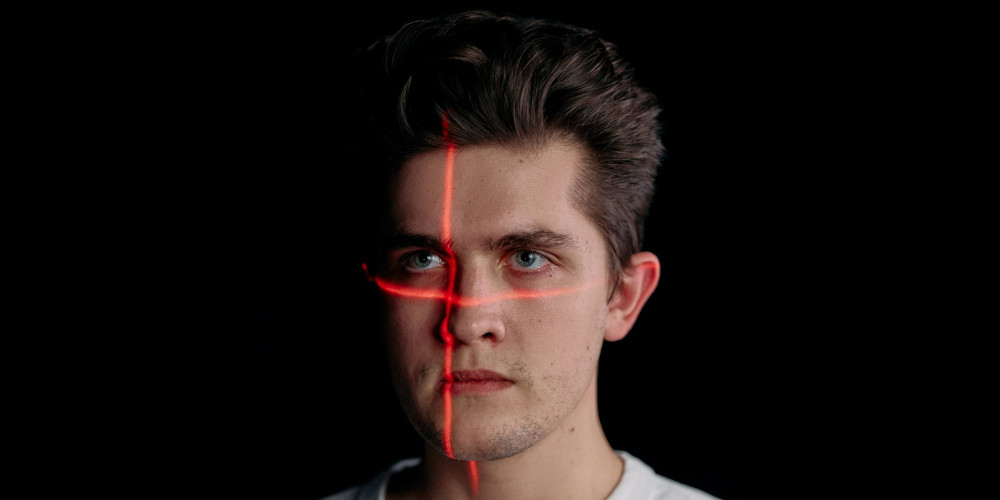
Biometric image by cottonbro studio from Pexels