
Thank you for your interest in the YNOT Cam Awards. We always try our best to keep things simple, however to ensure the integrity of the YNOT Cam Awards there are a few steps involved with this process if you would like to be considered for an Award.
STEP 1: CREATE YOUR YNOT ID ACCOUNT
First and foremost, you are going to need a YNOT ID account. While it’s possible for fans or friends to suggest you for a nomination even if you don’t have a YNOT ID account, you won’t be able to accept those suggestions without one, or be considered for finalist status. Repeat, you can’t become an official nominee without a YNOT ID account. This is because your account will be used to tie all voting back to you once the fan voting process starts, and also because it allows us to communicate with you throughout the process.
If you already have a YNOT ID account then you can skip forward to Step 2 below.
If you don’t have a YNOT ID account yet, please visit YNOTID.com now and register for a new account. IMPORTANT: Make sure you select “Cam Model” for your adult industry role, since only Cam Model accounts can receive nominations, and be extra sure that your email address is right because this is how we will notify you about suggestions, nominations, and other news about the YNOT Cam Awards.
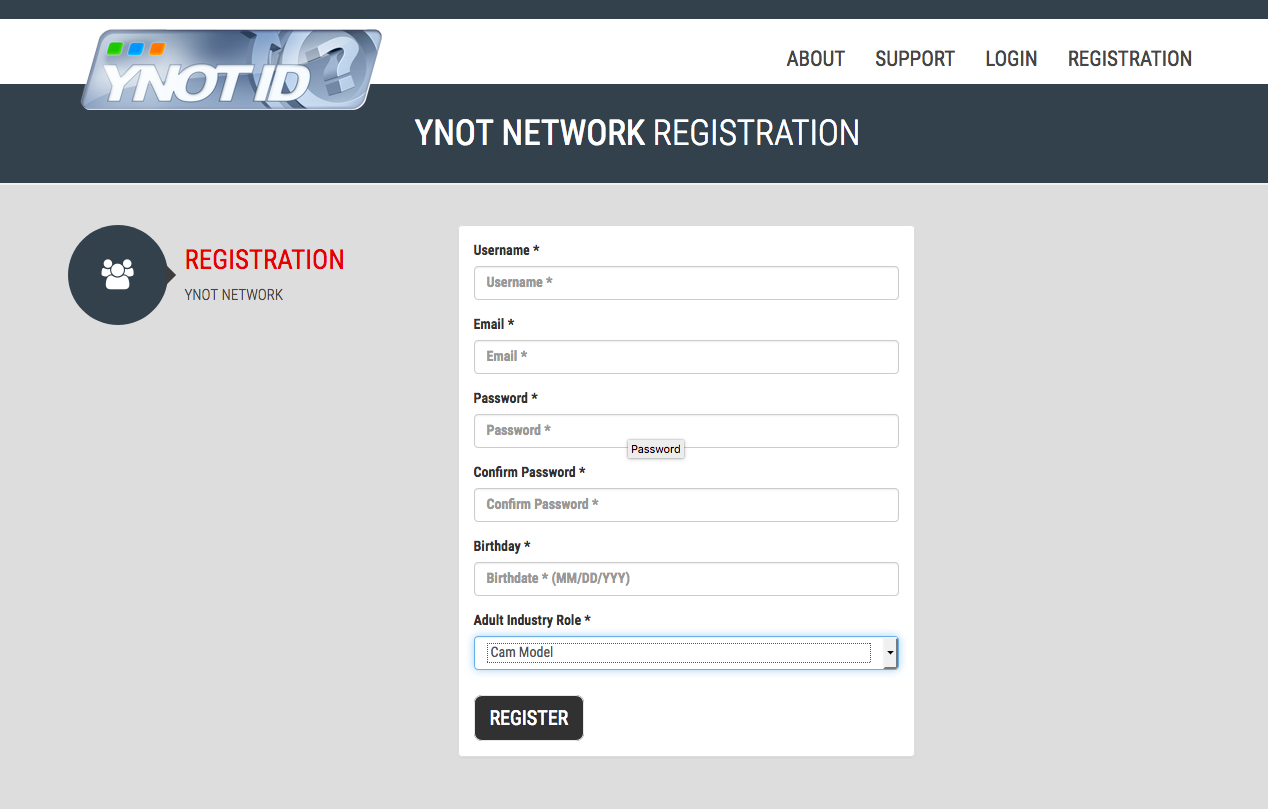
After you submit your registration you will be sent an email to confirm. Just click the link in the email, and you will be returned to YNOT ID to finish setting up your new account. You’re almost done.
Finally, please note if you have a Business Professional account instead of a Cam Model account you won’t be able to receive and accept nominee suggestions. To get this fixed, please open a support ticket at ynotsupport.com for help.
STEP 2: GET SUGGESTED FOR AN AWARD
If you have fans, friends or supportive colleagues who want to suggest you for a nomination, ask them to visit awards.ynotcam.com and click the “Suggest Nominee” link on the top right (this will only show up when the nomination period is open). They can choose up to three award categories for you when submitting their suggestions.
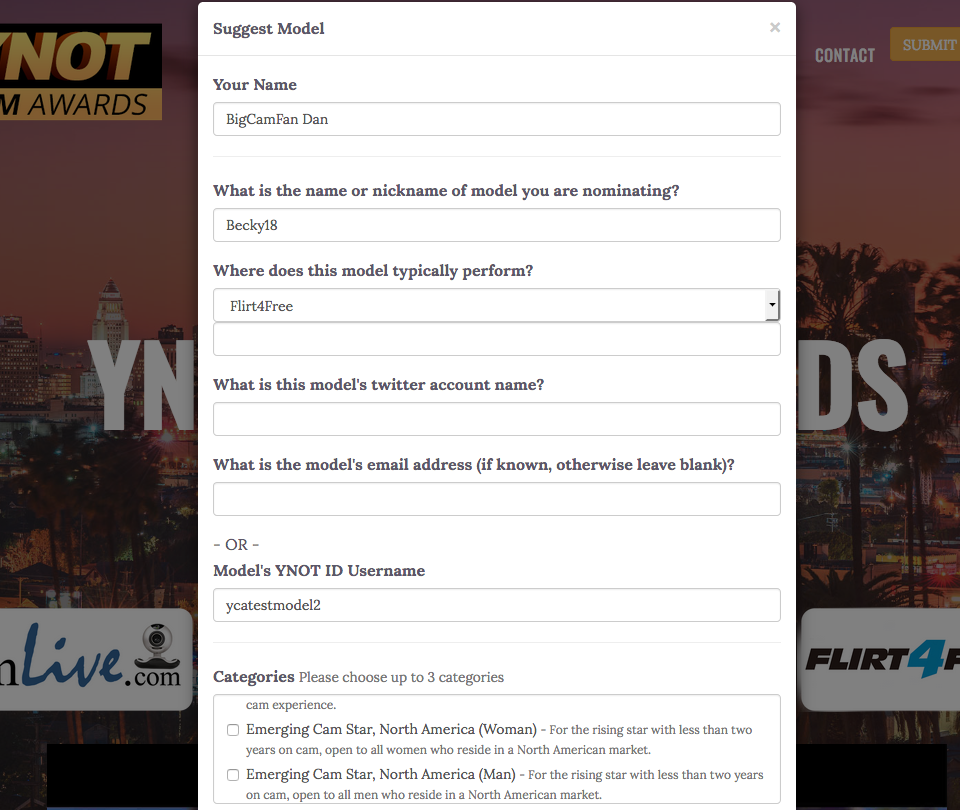
We strongly recommend that you provide supporters with your YNOT ID username, for privacy reasons. You can also provide supporters with your email address if you prefer. We need one of these two things with each suggestion received so we can successfully tie it to your account and give you credit.
Note that if we do not receive a YNOT ID or email address with a suggestion then we will do our best to figure out who the suggestion was intended for based on performer name and cam network, but we can’t promise that we’ll be successful in reaching you.
STEP 3: ACCEPT OR DECLINE NOMINATION SUGGESTIONS
Once someone submits a form with your YNOT ID or username, we’ll send you an email notifying you. The email will include the name of the person who suggested you (or at least the name they gave us, if any) and the categories selected. It will look something like this:
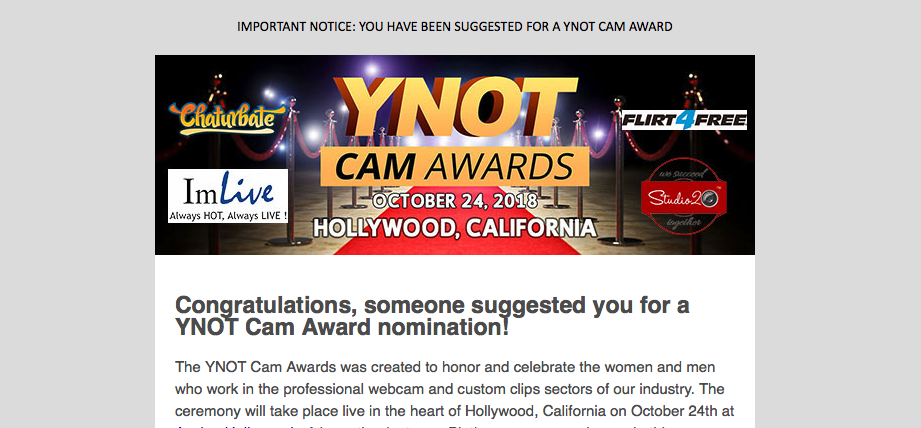
To ensure that you receive your notifications, we recommend that you update your email client’s whitelist to include notifications@awards.ynotcam.com to avoid possible spam filter mistakes. If you can’t do that, you might double-check your spam folder from time to time instead.
Once notified of a nominee suggestion you will then need to log into your YNOT ID account before the nomination period ends at the end of August 2021 and either accept or decline. You can accept for certain categories and decline for others if you want. Look for this link in the YNOT ID Dashboard:
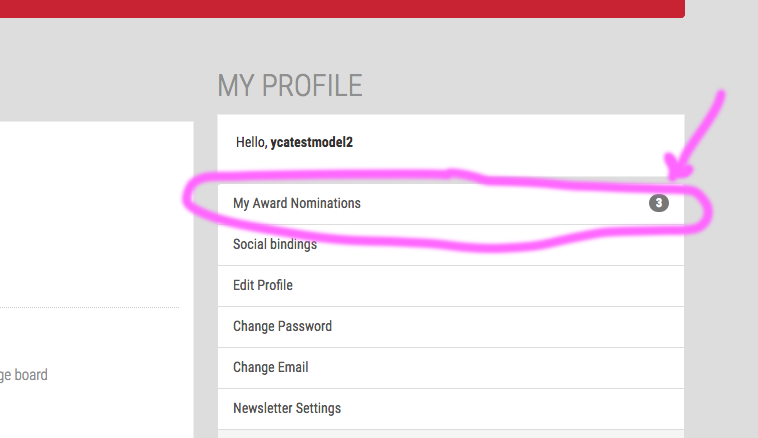
Once you click that link you’ll have a chance to Accept or Reject each nomination suggestion that you have received:
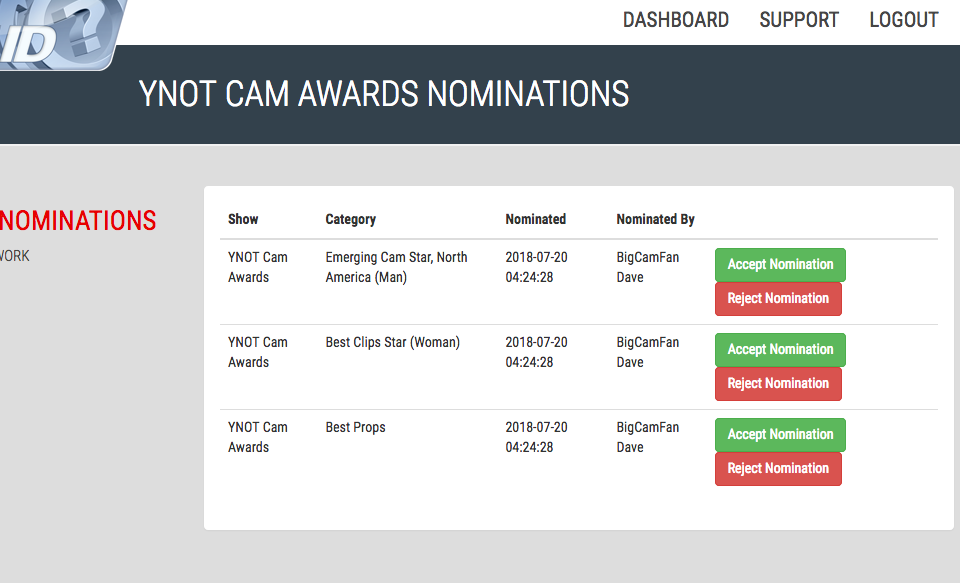
Even if you are suggested 100 times for a single category you should only be asked to Accept or Reject for that category once, however we will keep track of the number of times you are suggested for a category since that information is used to determine the finalists/nominees. If someone suggests you for a NEW category that you haven’t previously accepted or rejected you will get a new notification and will need to log into your account and respond.
You can only be considered for a category if you have received and accepted a nomination suggestion for that category. Also, you must respond no later than end of August when the nomination period ends.
If you are having trouble with this process and need personal help, visit our ZenDesk support desk at ynotsupport.com and submit a ticket. We’re here to help.